Skip to content

Canvas

Seeing deprecation warnings?

If you've updated Toga from 0.5.3 to 0.5.4 or newer and are seeing deprecation warnings from your existing code that uses Canvas, check the migration guide for info on how to update to the new API.

Usage

Canvas is a 2D vector graphics drawing area, whose API broadly follows the HTML5 Canvas API. Drawing methods are called directly on the Canvas. All positions and sizes are measured in CSS pixels.

For example, the following code will draw an orange horizontal line:

import toga

canvas = toga.Canvas()

canvas.stroke_style = "orange"
canvas.begin_path()
canvas.move_to(20, 20)
canvas.line_to(160, 20)
canvas.stroke()

Result:
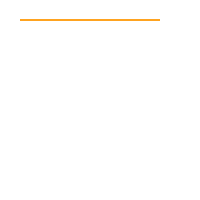
Usage example

Additional features

Toga adds some additional Pythonic conveniences to the base HTML5 API. First, a number of drawing methods that have a natural open/close life cycle (close_path(), stroke(), and fill()) can additionally function as context managers. Second, fill and stroke accept optional arguments to specify their parameters directly. Using both of these features, the previous example could be rewritten to:

import toga

canvas = toga.Canvas()

with canvas.stroke(stroke_style="orange"):
    canvas.move_to(20, 20)
    canvas.line_to(160, 20)

Toga also provides one additional method, state(), which is useful only as a context manager; it saves context upon entering, and restores it upon existing. That is, the two following snippets are functionally identical:

canvas.fill_style = "blue"

canvas.save()
canvas.fill_style = "red"
canvas.restore()

# Fill style is now restored to blue.
canvas.fill_style = "blue"

with canvas.state():
    canvas.fill_style = "red"

# Fill style is now restored to blue.

Further reading

This page documents all of Canvas's drawing methods; for more detailed and illustrative tutorials, see the MDN documentation for the HTML5 Canvas API. Other than the change in naming conventions for methods - the HTML5 API uses lowerCamelCase, whereas the Toga API uses snake_case - both APIs are very similar.

Notes

  • Toga does not guarantee pixel perfect rendering of Canvas content across all platforms. Most drawing instructions will appear identical across all platforms, and in the worst case, any given set of drawing instructions should result in a fundamentally similar image. However, text and other complex curve and line geometries (such as miters on tight corners) will result in minor discrepancies between platforms. Color rendition can also vary slightly between platforms depending on the color profiles of the device being used to render the canvas.

  • The Canvas API allows the use of handlers to respond to mouse/pointer events. These event handlers differentiate between "primary" and "alternate" modes of activation. When a mouse is in use, alternate activation will usually be interpreted as a "right click"; however, platforms may not implement an alternate activation mode. To ensure cross-platform compatibility, applications should not use the alternate press handlers as the sole mechanism for accessing critical functionality.

Advanced usage

It's also possible to reach beyond the HTML Canvas-based API documented here, and interact directly with the underlying structure that Canvas uses to store the series of drawing operations it's performed. This allows you to modify the rendered result non-linearly, going "back in time" to change previous instructions. For more information, see the documentation for DrawingAction.

Reference

Bases: Widget, DrawingActionDispatch

Source code in core/src/toga/widgets/canvas/canvas.py
123
124
125
126
127
128
129
130
131
132
133
134
135
136
137
138
139
140
141
142
143
144
145
146
147
148
149
150
151
152
153
154
155
156
157
158
159
160
161
162
163
164
165
166
167
168
169
170
171
172
173
174
175
176
177
178
179
180
181
182
183
184
185
186
187
188
189
190
191
192
193
194
195
196
197
198
199
200
201
202
203
204
205
206
207
208
209
210
211
212
213
214
215
216
217
218
219
220
221
222
223
224
225
226
227
228
229
230
231
232
233
234
235
236
237
238
239
240
241
242
243
244
245
246
247
248
249
250
251
252
253
254
255
256
257
258
259
260
261
262
263
264
265
266
267
268
269
270
271
272
273
274
275
276
277
278
279
280
281
282
283
284
285
286
287
288
289
290
291
292
293
294
295
296
297
298
299
300
301
302
303
304
305
306
307
308
309
310
311
312
313
314
315
316
317
318
319
320
321
322
323
324
325
326
327
328
329
330
331
332
333
334
335
336
337
338
339
340
341
342
343
344
345
346
347
348
349
350
351
352
353
354
355
356
357
358
359
360
361
362
363
364
365
366
367
368
369
370
371
372
373
374
375
376
377
378
379
380
381
382
383
384
385
386
387
388
389
390
391
392
class Canvas(Widget, DrawingActionDispatch):
    _MIN_WIDTH = 0
    _MIN_HEIGHT = 0

    # 2026-02: Backwards compatibility for <= 0.5.3
    _instances: WeakSet = WeakSet()

    def __init__(
        self,
        id: str | None = None,
        style: StyleT | None = None,
        on_resize: OnResizeHandler | None = None,
        on_press: OnTouchHandler | None = None,
        on_activate: OnTouchHandler | None = None,
        on_release: OnTouchHandler | None = None,
        on_drag: OnTouchHandler | None = None,
        on_alt_press: OnTouchHandler | None = None,
        on_alt_release: OnTouchHandler | None = None,
        on_alt_drag: OnTouchHandler | None = None,
        **kwargs,
    ):
        """Create a new Canvas widget.

        Inherits from [`toga.Widget`][].

        :param id: The ID for the widget.
        :param style: A style object. If no style is provided, a default style will be
            applied to the widget.
        :param on_resize: Initial [`on_resize`][toga.Canvas.on_resize] handler.
        :param on_press: Initial [`on_press`][toga.Canvas.on_press] handler.
        :param on_activate: Initial [`on_activate`][toga.Canvas.on_activate] handler.
        :param on_release: Initial [`on_release`][toga.Canvas.on_release] handler.
        :param on_drag: Initial [`on_drag`][toga.Canvas.on_drag] handler.
        :param on_alt_press: Initial [`on_alt_press`][toga.Canvas.on_alt_press] handler.
        :param on_alt_release: Initial [`on_alt_release`][toga.Canvas.on_alt_release]
            handler.
        :param on_alt_drag: Initial [`on_alt_drag`][toga.Canvas.on_alt_drag] handler.
        :param kwargs: Initial style properties.
        """
        self._root_state = State()

        super().__init__(id, style, **kwargs)

        # Set all the properties
        self.on_resize = on_resize
        self.on_press = on_press
        self.on_activate = on_activate
        self.on_release = on_release
        self.on_drag = on_drag
        self.on_alt_press = on_alt_press
        self.on_alt_release = on_alt_release
        self.on_alt_drag = on_alt_drag

        # 2026-02: Backwards compatibility for <= 0.5.3
        self._instances.add(self)

    def _create(self) -> Any:
        return self.factory.Canvas(interface=self)

    @property
    def enabled(self) -> Literal[True]:
        """Is the widget currently enabled? i.e., can the user interact with the widget?
        Canvas widgets cannot be disabled; this property will always return
        True; any attempt to modify it will be ignored.
        """
        return True

    @enabled.setter
    def enabled(self, value: object) -> None:
        pass

    def focus(self) -> None:
        """No-op; Canvas cannot accept input focus."""
        pass

    @property
    def root_state(self) -> State:
        """The root state for the canvas. See
        [`DrawingAction`](/reference/api/data-representation/drawingaction.md).
        """
        return self._root_state

    ###########################################################################
    # State management & attributes
    ###########################################################################

    def save(self) -> Save:
        """Save the current state of the drawing context.

        :returns: The `Save`
            [`DrawingAction`][toga.widgets.canvas.DrawingAction] for the operation.
        """
        save = Save()
        self._add_to_target(save)
        # No need to redraw, since this has no visual effect.
        return save

    def restore(self) -> Save:
        """Restore to the previous state of the drawing context.

        :returns: The `Restore`
            [`DrawingAction`][toga.widgets.canvas.DrawingAction] for the operation.
        """
        restore = Restore()
        self._add_to_target(restore)
        # No need to redraw, since this has no visual effect.
        return restore

    fill_style: ColorT = drawing_context_property(SetFillStyle, BLACK_COLOR)
    """The current fill color."""
    stroke_style: ColorT = drawing_context_property(SetStrokeStyle, BLACK_COLOR)
    """The current stroke color."""
    line_width: float = drawing_context_property(SetLineWidth, 2.0)
    """The current width of the stroke."""
    line_dash: list[float] = drawing_context_property(SetLineDash, [])
    """The current dash pattern to follow when drawing the line, expressed as
    alternating lengths of dashes and spaces. The default is a solid line.

    In the HTML Canvas API, this has to be set via setLineDash(). Here it's directly
    assignable.
    """

    ######################################################################
    # 2026-02: Backwards compatibility for <= 0.5.3
    ######################################################################

    @property
    def context(self) -> State:
        warnings.warn(
            "Canvas.context has been renamed to Canvas.root_state",
            DeprecationWarning,
            stacklevel=2,
        )
        return self._root_state

    ######################################################################
    # End backwards compatibility
    ######################################################################

    @property
    def _action_target(self):
        """Return the currently active state."""
        return self.root_state._active_state

    def redraw(self) -> None:
        """Redraw the Canvas. This shouldn't normally need to be manually called; for
        more info, see
        [`DrawingAction`](/reference/api/data-representation/drawingaction.md).
        """
        self._impl.redraw()

    @property
    def on_resize(self) -> OnResizeHandler:
        """The handler to invoke when the canvas is resized."""
        return self._on_resize

    @on_resize.setter
    def on_resize(self, handler: OnResizeHandler) -> None:
        self._on_resize = wrapped_handler(self, handler)

    @property
    def on_press(self) -> OnTouchHandler:
        """The handler invoked when the canvas is pressed. When a mouse is being used,
        this press will be with the primary (usually the left) mouse button."""
        return self._on_press

    @on_press.setter
    def on_press(self, handler: OnTouchHandler) -> None:
        self._on_press = wrapped_handler(self, handler)

    @property
    def on_activate(self) -> OnTouchHandler:
        """The handler invoked when the canvas is pressed in a way indicating the
        pressed object should be activated. When a mouse is in use, this will usually be
        a double click with the primary (usually the left) mouse button.

        This event is not supported on Android or iOS."""
        return self._on_activate

    @on_activate.setter
    def on_activate(self, handler: OnTouchHandler) -> None:
        self._on_activate = wrapped_handler(self, handler)

    @property
    def on_release(self) -> OnTouchHandler:
        """The handler invoked when a press on the canvas ends."""
        return self._on_release

    @on_release.setter
    def on_release(self, handler: OnTouchHandler) -> None:
        self._on_release = wrapped_handler(self, handler)

    @property
    def on_drag(self) -> OnTouchHandler:
        """The handler invoked when the location of a press changes."""
        return self._on_drag

    @on_drag.setter
    def on_drag(self, handler: OnTouchHandler) -> None:
        self._on_drag = wrapped_handler(self, handler)

    @property
    def on_alt_press(self) -> OnTouchHandler:
        """The handler to invoke when the canvas is pressed in an alternate
        manner. This will usually correspond to a secondary (usually the right) mouse
        button press.

        This event is not supported on Android or iOS.
        """
        return self._on_alt_press

    @on_alt_press.setter
    def on_alt_press(self, handler: OnTouchHandler) -> None:
        self._on_alt_press = wrapped_handler(self, handler)

    @property
    def on_alt_release(self) -> OnTouchHandler:
        """The handler to invoke when an alternate press is released.

        This event is not supported on Android or iOS.
        """
        return self._on_alt_release

    @on_alt_release.setter
    def on_alt_release(self, handler: OnTouchHandler) -> None:
        self._on_alt_release = wrapped_handler(self, handler)

    @property
    def on_alt_drag(self) -> OnTouchHandler:
        """The handler to invoke when the location of an alternate press changes.

        This event is not supported on Android or iOS.
        """
        return self._on_alt_drag

    @on_alt_drag.setter
    def on_alt_drag(self, handler: OnTouchHandler) -> None:
        self._on_alt_drag = wrapped_handler(self, handler)

    def measure_text(
        self,
        text: str,
        font: Font | None = None,
        line_height: float | None = None,
    ) -> tuple[float, float]:
        """Measure the size at which
        [`Canvas.write_text`][toga.Canvas.write_text]
        would render some text.

        :param text: The text to measure. Newlines will cause line breaks, but long
            lines will not be wrapped.
        :param font: The font in which to draw the text. The default is the system font.
        :param line_height: Height of the line box as a multiple of the font size
            when multiple lines are present.
        :returns: A tuple of `(width, height)`.
        """
        if font is None:
            font = Font(family=SYSTEM, size=SYSTEM_DEFAULT_FONT_SIZE)

        return self._impl.measure_text(str(text), font._impl, line_height)

    def as_image(self, format: type[ImageT] = toga.Image) -> ImageT:
        """Render the canvas as an image.

        :param format: Format to provide. Defaults to [`Image`][toga.images.Image]; also
            supports [`PIL.Image.Image`][] if Pillow is installed, as well as any image
            types defined by installed [image format plugins][image-format-plugins].
        :returns: The canvas as an image of the specified type.
        """
        return toga.Image(self._impl.get_image_data()).as_format(format)

fill_style = drawing_context_property(SetFillStyle, BLACK_COLOR) class-attribute instance-attribute

The current fill color.

stroke_style = drawing_context_property(SetStrokeStyle, BLACK_COLOR) class-attribute instance-attribute

The current stroke color.

line_width = drawing_context_property(SetLineWidth, 2.0) class-attribute instance-attribute

The current width of the stroke.

line_dash = drawing_context_property(SetLineDash, []) class-attribute instance-attribute

The current dash pattern to follow when drawing the line, expressed as alternating lengths of dashes and spaces. The default is a solid line.

In the HTML Canvas API, this has to be set via setLineDash(). Here it's directly assignable.

root_state property

The root state for the canvas. See DrawingAction.

enabled property writable

Is the widget currently enabled? i.e., can the user interact with the widget? Canvas widgets cannot be disabled; this property will always return True; any attempt to modify it will be ignored.

on_activate property writable

The handler invoked when the canvas is pressed in a way indicating the pressed object should be activated. When a mouse is in use, this will usually be a double click with the primary (usually the left) mouse button.

This event is not supported on Android or iOS.

on_alt_drag property writable

The handler to invoke when the location of an alternate press changes.

This event is not supported on Android or iOS.

on_alt_press property writable

The handler to invoke when the canvas is pressed in an alternate manner. This will usually correspond to a secondary (usually the right) mouse button press.

This event is not supported on Android or iOS.

on_alt_release property writable

The handler to invoke when an alternate press is released.

This event is not supported on Android or iOS.

on_drag property writable

The handler invoked when the location of a press changes.

on_press property writable

The handler invoked when the canvas is pressed. When a mouse is being used, this press will be with the primary (usually the left) mouse button.

on_release property writable

The handler invoked when a press on the canvas ends.

on_resize property writable

The handler to invoke when the canvas is resized.

save()

Save the current state of the drawing context.

:returns: The Save DrawingAction for the operation.

Source code in core/src/toga/widgets/canvas/canvas.py
209
210
211
212
213
214
215
216
217
218
def save(self) -> Save:
    """Save the current state of the drawing context.

    :returns: The `Save`
        [`DrawingAction`][toga.widgets.canvas.DrawingAction] for the operation.
    """
    save = Save()
    self._add_to_target(save)
    # No need to redraw, since this has no visual effect.
    return save

restore()

Restore to the previous state of the drawing context.

:returns: The Restore DrawingAction for the operation.

Source code in core/src/toga/widgets/canvas/canvas.py
220
221
222
223
224
225
226
227
228
229
def restore(self) -> Save:
    """Restore to the previous state of the drawing context.

    :returns: The `Restore`
        [`DrawingAction`][toga.widgets.canvas.DrawingAction] for the operation.
    """
    restore = Restore()
    self._add_to_target(restore)
    # No need to redraw, since this has no visual effect.
    return restore

state()

A context manager that saves the current state of the Canvas context, and restores it upon exiting.

:return: Yields the new State DrawingAction.

Source code in core/src/toga/widgets/canvas/state.py
520
521
522
523
524
525
526
527
528
529
530
def state(self) -> AbstractContextManager[State]:
    """A context manager that saves the current state of the Canvas context, and
    restores it upon exiting.

    :return: Yields the new `State`
      [`DrawingAction`][toga.widgets.canvas.DrawingAction].
    """
    state = State()
    self._add_to_target(state)
    self._redraw_with_warning_if_state()
    return state

begin_path()

Start a new path.

:returns: The BeginPath DrawingAction for the operation.

Source code in core/src/toga/widgets/canvas/state.py
67
68
69
70
71
72
73
74
75
76
def begin_path(self) -> BeginPath:
    """Start a new path.

    :returns: The `BeginPath`
        [`DrawingAction`][toga.widgets.canvas.DrawingAction] for the operation.
    """
    begin_path = BeginPath()
    self._add_to_target(begin_path)
    self._redraw_with_warning_if_state()
    return begin_path

close_path()

Close the current path.

This closes the current path as a simple drawing operation. It should be paired with a begin_path() operation, or else used as a context manager. If used as a context manager, it begins a path when entering, and closes it upon exiting.

:returns: The ClosePath DrawingAction for the operation.

Source code in core/src/toga/widgets/canvas/state.py
78
79
80
81
82
83
84
85
86
87
88
89
90
91
92
def close_path(self) -> AbstractContextManager[ClosePath]:
    """Close the current path.

    This closes the current path as a simple drawing operation. It should be paired
    with a [`begin_path()`][toga.Canvas.begin_path] operation, or else used as a
    context manager. If used as a context manager, it begins a path when entering,
    and closes it upon exiting.

    :returns: The `ClosePath`
        [`DrawingAction`][toga.widgets.canvas.DrawingAction] for the operation.
    """
    close_path = ClosePath()
    self._add_to_target(close_path)
    self._redraw_with_warning_if_state()
    return close_path

move_to(x, y)

Moves the current point without drawing.

:param x: The x coordinate of the new current point. :param y: The y coordinate of the new current point. :returns: The MoveTo DrawingAction for the operation.

Source code in core/src/toga/widgets/canvas/state.py
 94
 95
 96
 97
 98
 99
100
101
102
103
104
105
def move_to(self, x: float, y: float) -> MoveTo:
    """Moves the current point without drawing.

    :param x: The x coordinate of the new current point.
    :param y: The y coordinate of the new current point.
    :returns: The `MoveTo` [`DrawingAction`][toga.widgets.canvas.DrawingAction]
        for the operation.
    """
    move_to = MoveTo(x, y)
    self._add_to_target(move_to)
    self._redraw_with_warning_if_state()
    return move_to

line_to(x, y)

Draw a line segment ending at a point.

:param x: The x coordinate for the end point of the line segment. :param y: The y coordinate for the end point of the line segment. :returns: The LineTo DrawingAction for the operation.

Source code in core/src/toga/widgets/canvas/state.py
107
108
109
110
111
112
113
114
115
116
117
118
def line_to(self, x: float, y: float) -> LineTo:
    """Draw a line segment ending at a point.

    :param x: The x coordinate for the end point of the line segment.
    :param y: The y coordinate for the end point of the line segment.
    :returns: The `LineTo` [`DrawingAction`][toga.widgets.canvas.DrawingAction]
        for the operation.
    """
    line_to = LineTo(x, y)
    self._add_to_target(line_to)
    self._redraw_with_warning_if_state()
    return line_to

bezier_curve_to(cp1x, cp1y, cp2x, cp2y, x, y)

Draw a Bézier curve.

A Bézier curve requires three points. The first two are control points; the third is the end point for the curve. The starting point is the last point in the current path, which can be changed using move_to() before creating the Bézier curve.

:param cp1y: The y coordinate for the first control point of the Bézier curve. :param cp1x: The x coordinate for the first control point of the Bézier curve. :param cp2x: The x coordinate for the second control point of the Bézier curve. :param cp2y: The y coordinate for the second control point of the Bézier curve. :param x: The x coordinate for the end point. :param y: The y coordinate for the end point. :returns: The BezierCurveTo DrawingAction for the operation.

Source code in core/src/toga/widgets/canvas/state.py
120
121
122
123
124
125
126
127
128
129
130
131
132
133
134
135
136
137
138
139
140
141
142
143
144
145
146
147
148
def bezier_curve_to(
    self,
    cp1x: float,
    cp1y: float,
    cp2x: float,
    cp2y: float,
    x: float,
    y: float,
) -> BezierCurveTo:
    """Draw a Bézier curve.

    A Bézier curve requires three points. The first two are control points; the
    third is the end point for the curve. The starting point is the last point in
    the current path, which can be changed using `move_to()` before creating the
    Bézier curve.

    :param cp1y: The y coordinate for the first control point of the Bézier curve.
    :param cp1x: The x coordinate for the first control point of the Bézier curve.
    :param cp2x: The x coordinate for the second control point of the Bézier curve.
    :param cp2y: The y coordinate for the second control point of the Bézier curve.
    :param x: The x coordinate for the end point.
    :param y: The y coordinate for the end point.
    :returns: The `BezierCurveTo`
        [`DrawingAction`][toga.widgets.canvas.DrawingAction] for the operation.
    """
    bezier_curve_to = BezierCurveTo(cp1x, cp1y, cp2x, cp2y, x, y)
    self._add_to_target(bezier_curve_to)
    self._redraw_with_warning_if_state()
    return bezier_curve_to

quadratic_curve_to(cpx, cpy, x, y)

Draw a quadratic curve.

A quadratic curve requires two points. The first point is a control point; the second is the end point. The starting point of the curve is the last point in the current path, which can be changed using moveTo() before creating the quadratic curve.

:param cpx: The x axis of the coordinate for the control point of the quadratic curve. :param cpy: The y axis of the coordinate for the control point of the quadratic curve. :param x: The x axis of the coordinate for the end point. :param y: The y axis of the coordinate for the end point. :returns: The QuadraticCurveTo DrawingAction for the operation.

Source code in core/src/toga/widgets/canvas/state.py
150
151
152
153
154
155
156
157
158
159
160
161
162
163
164
165
166
167
168
169
170
171
172
173
174
175
176
def quadratic_curve_to(
    self,
    cpx: float,
    cpy: float,
    x: float,
    y: float,
) -> QuadraticCurveTo:
    """Draw a quadratic curve.

    A quadratic curve requires two points. The first point is a control point; the
    second is the end point. The starting point of the curve is the last point in
    the current path, which can be changed using `moveTo()` before creating the
    quadratic curve.

    :param cpx: The x axis of the coordinate for the control point of the quadratic
        curve.
    :param cpy: The y axis of the coordinate for the control point of the quadratic
        curve.
    :param x: The x axis of the coordinate for the end point.
    :param y: The y axis of the coordinate for the end point.
    :returns: The `QuadraticCurveTo`
        [`DrawingAction`][toga.widgets.canvas.DrawingAction] for the operation.
    """
    quadratic_curve_to = QuadraticCurveTo(cpx, cpy, x, y)
    self._add_to_target(quadratic_curve_to)
    self._redraw_with_warning_if_state()
    return quadratic_curve_to

arc(x, y, radius, startangle=0.0, endangle=2 * pi, counterclockwise=None, anticlockwise=None)

Draw a circular arc.

A full circle will be drawn by default; an arc can be drawn by specifying a start and end angle.

:param x: The X coordinate of the circle's center. :param y: The Y coordinate of the circle's center. :param startangle: The start angle in radians, measured clockwise from the positive X axis. :param endangle: The end angle in radians, measured clockwise from the positive X axis. :param counterclockwise: If true, the arc is swept counterclockwise. The default is clockwise. :param anticlockwise: DEPRECATED - Use counterclockwise. :returns: The Arc DrawingAction for the operation.

Source code in core/src/toga/widgets/canvas/state.py
178
179
180
181
182
183
184
185
186
187
188
189
190
191
192
193
194
195
196
197
198
199
200
201
202
203
204
205
206
207
208
def arc(
    self,
    x: float,
    y: float,
    radius: float,
    startangle: float = 0.0,
    endangle: float = 2 * pi,
    counterclockwise: bool | None = None,
    anticlockwise: bool | None = None,  # DEPRECATED
) -> Arc:
    """Draw a circular arc.

    A full circle will be drawn by default; an arc can be drawn by specifying a
    start and end angle.

    :param x: The X coordinate of the circle's center.
    :param y: The Y coordinate of the circle's center.
    :param startangle: The start angle in radians, measured clockwise from the
        positive X axis.
    :param endangle: The end angle in radians, measured clockwise from the positive
        X axis.
    :param counterclockwise: If true, the arc is swept counterclockwise. The default
        is clockwise.
    :param anticlockwise: **DEPRECATED** - Use `counterclockwise`.
    :returns: The `Arc` [`DrawingAction`][toga.widgets.canvas.DrawingAction]
        for the operation.
    """
    arc = Arc(x, y, radius, startangle, endangle, counterclockwise, anticlockwise)
    self._add_to_target(arc)
    self._redraw_with_warning_if_state()
    return arc

ellipse(x, y, radiusx, radiusy, rotation=0.0, startangle=0.0, endangle=2 * pi, counterclockwise=None, anticlockwise=None)

Draw an elliptical arc.

A full ellipse will be drawn by default; an arc can be drawn by specifying a start and end angle.

:param x: The X coordinate of the ellipse's center. :param y: The Y coordinate of the ellipse's center. :param radiusx: The ellipse's horizontal axis radius. :param radiusy: The ellipse's vertical axis radius. :param rotation: The ellipse's rotation in radians, measured clockwise around its center. :param startangle: The start angle in radians, measured clockwise from the positive X axis. :param endangle: The end angle in radians, measured clockwise from the positive X axis. :param counterclockwise: If true, the arc is swept counterclockwise. The default is clockwise. :param anticlockwise: DEPRECATED - Use counterclockwise. :returns: The Ellipse DrawingAction for the operation.

Source code in core/src/toga/widgets/canvas/state.py
210
211
212
213
214
215
216
217
218
219
220
221
222
223
224
225
226
227
228
229
230
231
232
233
234
235
236
237
238
239
240
241
242
243
244
245
246
247
248
249
250
251
252
253
254
255
256
def ellipse(
    self,
    x: float,
    y: float,
    radiusx: float,
    radiusy: float,
    rotation: float = 0.0,
    startangle: float = 0.0,
    endangle: float = 2 * pi,
    counterclockwise: bool | None = None,
    anticlockwise: bool | None = None,  # DEPRECATED
) -> Ellipse:
    """Draw an elliptical arc.

    A full ellipse will be drawn by default; an arc can be drawn by specifying a
    start and end angle.

    :param x: The X coordinate of the ellipse's center.
    :param y: The Y coordinate of the ellipse's center.
    :param radiusx: The ellipse's horizontal axis radius.
    :param radiusy: The ellipse's vertical axis radius.
    :param rotation: The ellipse's rotation in radians, measured clockwise around
        its center.
    :param startangle: The start angle in radians, measured clockwise from the
        positive X axis.
    :param endangle: The end angle in radians, measured clockwise from the positive
        X axis.
    :param counterclockwise: If true, the arc is swept counterclockwise. The default
        is clockwise.
    :param anticlockwise: **DEPRECATED** - Use `counterclockwise`.
    :returns: The `Ellipse` [`DrawingAction`][toga.widgets.canvas.DrawingAction]
        for the operation.
    """
    ellipse = Ellipse(
        x,
        y,
        radiusx,
        radiusy,
        rotation,
        startangle,
        endangle,
        counterclockwise,
        anticlockwise,
    )
    self._add_to_target(ellipse)
    self._redraw_with_warning_if_state()
    return ellipse

rect(x, y, width, height)

Draw a rectangle.

:param x: The horizontal coordinate of the left of the rectangle. :param y: The vertical coordinate of the top of the rectangle. :param width: The width of the rectangle. :param height: The height of the rectangle. :returns: The Rect DrawingAction for the operation.

Source code in core/src/toga/widgets/canvas/state.py
258
259
260
261
262
263
264
265
266
267
268
269
270
271
def rect(self, x: float, y: float, width: float, height: float) -> Rect:
    """Draw a rectangle.

    :param x: The horizontal coordinate of the left of the rectangle.
    :param y: The vertical coordinate of the top of the rectangle.
    :param width: The width of the rectangle.
    :param height: The height of the rectangle.
    :returns: The `Rect` [`DrawingAction`][toga.widgets.canvas.DrawingAction]
        for the operation.
    """
    rect = Rect(x, y, width, height)
    self._add_to_target(rect)
    self._redraw_with_warning_if_state()
    return rect

round_rect(x, y, width, height, radii)

Draw a rounded rectangle.

Corner radii can be provided as: - a single numerical radius for both x and y radius for all corners - an object with attributes "x" and "y" for the x and y radius for all corners - a list of 1 to 4 of the above

If the list has: - length 1, then the item gives the radius of all corners - length 2, then the upper left and lower right corners use the first radius, and upper right and lower left use the second radius - length 3, then the upper left corner uses the first radius, the upper right and lower left use the second radius, and the lower right corner uses the third radius - length 4, then the radii are given in order upper left, upper right, lower left, lower right

If the radii are too large for the width or height, then they will be scaled.

:param x: The horizontal coordinate of the left of the rounded rectangle. :param y: The vertical coordinate of the top of the rounded rectangle. :param width: The width of the rounded rectangle. :param height: The height of the roundedrectangle. :param radii: The corner radii of the rounded rectangle. :returns: The RoundRect DrawingAction for the operation.

Source code in core/src/toga/widgets/canvas/state.py
273
274
275
276
277
278
279
280
281
282
283
284
285
286
287
288
289
290
291
292
293
294
295
296
297
298
299
300
301
302
303
304
305
306
307
308
309
310
311
def round_rect(
    self,
    x: float,
    y: float,
    width: float,
    height: float,
    radii: float | CornerRadiusT | Iterable[float | CornerRadiusT],
) -> RoundRect:
    """Draw a rounded rectangle.

    Corner radii can be provided as:
    - a single numerical radius for both x and y radius for all corners
    - an object with attributes "x" and "y" for the x and y radius for all corners
    - a list of 1 to 4 of the above

    If the list has:
    - length 1, then the item gives the radius of all corners
    - length 2, then the upper left and lower right corners use the first radius,
      and upper right and lower left use the second radius
    - length 3, then the upper left corner uses the first radius, the upper right
      and lower left use the second radius, and the lower right corner uses the
      third radius
    - length 4, then the radii are given in order upper left, upper right, lower
      left, lower right

    If the radii are too large for the width or height, then they will be scaled.

    :param x: The horizontal coordinate of the left of the rounded rectangle.
    :param y: The vertical coordinate of the top of the rounded rectangle.
    :param width: The width of the rounded rectangle.
    :param height: The height of the roundedrectangle.
    :param radii: The corner radii of the rounded rectangle.
    :returns: The `RoundRect` [`DrawingAction`][toga.widgets.canvas.DrawingAction]
        for the operation.
    """
    round_rect = RoundRect(x, y, width, height, radii)
    self._add_to_target(round_rect)
    self._redraw_with_warning_if_state()
    return round_rect

fill(fill_rule=FillRule.NONZERO, *, fill_style=NOT_PROVIDED, color=NOT_PROVIDED)

Fill the current path.

The fill can use either the Non-Zero or Even-Odd winding rule for filling paths.

If used as a context manager, this begins a new path, and moves to the specified (x, y) coordinates (if both are specified). When the context is exited, the path is filled.

:param fill_rule: nonzero is the non-zero winding rule; evenodd is the even-odd winding rule. :param fill_style: The fill style. At present, only accepts colors; gradients and patterns are not supported. :param color: Alias for fill_style. :returns: The Fill DrawingAction for the operation. :raises TypeError: If both fill_style and color are provided.

Source code in core/src/toga/widgets/canvas/state.py
313
314
315
316
317
318
319
320
321
322
323
324
325
326
327
328
329
330
331
332
333
334
335
336
337
338
339
340
341
342
343
344
345
346
def fill(
    self,
    fill_rule: FillRule = FillRule.NONZERO,
    *,
    fill_style: ColorT | None | object = NOT_PROVIDED,
    color: ColorT | None | object = NOT_PROVIDED,
) -> AbstractContextManager[Fill]:
    """Fill the current path.

    The fill can use either the
    [Non-Zero](https://en.wikipedia.org/wiki/Nonzero-rule) or
    [Even-Odd](https://en.wikipedia.org/wiki/Even-odd_rule) winding
    rule for filling paths.

    If used as a context manager, this begins a new path, and moves to the specified
    (`x`, `y`) coordinates (if both are specified). When the context is exited, the
    path is filled.

    :param fill_rule: `nonzero` is the non-zero winding rule; `evenodd` is the
        even-odd winding rule.
    :param fill_style: The fill style. At present, only accepts colors; gradients
        and patterns are not supported.
    :param color: Alias for fill_style.
    :returns: The `Fill` [`DrawingAction`][toga.widgets.canvas.DrawingAction]
        for the operation.
    :raises TypeError: If both `fill_style` and `color` are provided.
    """
    fill = Fill(fill_rule, fill_style=fill_style, color=color)
    self._add_to_target(fill)
    # Strictly speaking, this doesn't need a warning or redraw, since BaseState
    # overwrites this method with its own shimmed version. But we might as well be
    # as helpful as possible.
    self._redraw_with_warning_if_state()
    return fill

stroke(*, stroke_style=NOT_PROVIDED, color=NOT_PROVIDED, line_width=None, line_dash=None)

Draw the current path as a stroke.

If used as a context manager, this begins a new path, and moves to the specified (x, y) coordinates (if both are specified). When the context is exited, the path is stroked.

:param stroke_style: The stroke style. At present, only accepts colors; gradients and patterns are not supported. :param color: Alias for fill_style. :param line_width: The width of the stroke. :param line_dash: The dash pattern to follow when drawing the line, expressed as alternating lengths of dashes and spaces. The default is a solid line. :returns: The Stroke DrawingAction for the operation. :raises TypeError: If both stroke_style and color are provided.

Source code in core/src/toga/widgets/canvas/state.py
348
349
350
351
352
353
354
355
356
357
358
359
360
361
362
363
364
365
366
367
368
369
370
371
372
373
374
375
376
377
378
379
380
381
382
383
def stroke(
    self,
    *,
    stroke_style: ColorT | None | object = NOT_PROVIDED,
    color: ColorT | None | object = NOT_PROVIDED,
    line_width: float | None = None,
    line_dash: list[float] | None = None,
) -> AbstractContextManager[Stroke]:
    """Draw the current path as a stroke.

    If used as a context manager, this begins a new path, and moves to the specified
    (`x`, `y`) coordinates (if both are specified). When the context is exited, the
    path is stroked.

    :param stroke_style: The stroke style. At present, only accepts colors;
        gradients and patterns are not supported.
    :param color: Alias for fill_style.
    :param line_width: The width of the stroke.
    :param line_dash: The dash pattern to follow when drawing the line, expressed as
        alternating lengths of dashes and spaces. The default is a solid line.
    :returns: The `Stroke` [`DrawingAction`][toga.widgets.canvas.DrawingAction]
        for the operation.
    :raises TypeError: If both `stroke_style` and `color` are provided.
    """
    stroke = Stroke(
        stroke_style=stroke_style,
        color=color,
        line_width=line_width,
        line_dash=line_dash,
    )
    self._add_to_target(stroke)
    # Strictly speaking, this doesn't need a warning or redraw, since BaseState
    # overwrites this method with its own shimmed version. But we might as well be
    # as helpful as possible.
    self._redraw_with_warning_if_state()
    return stroke

write_text(text, x=0.0, y=0.0, font=None, baseline=Baseline.ALPHABETIC, line_height=None)

Write text at a given position.

Unlike HTML canvas's fill_text and stroke_text, Toga currently has one method; whether it strokes and/or fills is determined by whether a stroke and/or fill context manager is currently open.

:param text: The text to draw. Newlines will cause line breaks, but long lines will not be wrapped. :param x: The X coordinate of the text's left edge. :param y: The Y coordinate: its meaning depends on baseline. :param font: The font in which to draw the text. The default is the system font. :param baseline: Alignment of text relative to the Y coordinate. :param line_height: Height of the line box as a multiple of the font size when multiple lines are present. :returns: The WriteText DrawingAction for the operation.

Source code in core/src/toga/widgets/canvas/state.py
389
390
391
392
393
394
395
396
397
398
399
400
401
402
403
404
405
406
407
408
409
410
411
412
413
414
415
416
417
418
def write_text(
    self,
    text: str,
    x: float = 0.0,
    y: float = 0.0,
    font: Font | None = None,
    baseline: Baseline = Baseline.ALPHABETIC,
    line_height: float | None = None,
) -> WriteText:
    """Write text at a given position.

    Unlike HTML canvas's `fill_text` and `stroke_text`, Toga currently has one
    method; whether it strokes and/or fills is determined by whether a stroke
    and/or fill context manager is currently open.

    :param text: The text to draw. Newlines will cause line breaks, but long lines
        will not be wrapped.
    :param x: The X coordinate of the text's left edge.
    :param y: The Y coordinate: its meaning depends on `baseline`.
    :param font: The font in which to draw the text. The default is the system font.
    :param baseline: Alignment of text relative to the Y coordinate.
    :param line_height: Height of the line box as a multiple of the font size
        when multiple lines are present.
    :returns: The `WriteText` [`DrawingAction`][toga.widgets.canvas.DrawingAction]
        for the operation.
    """
    write_text = WriteText(text, x, y, font, baseline, line_height)
    self._add_to_target(write_text)
    self._redraw_with_warning_if_state()
    return write_text

draw_image(image, x=0.0, y=0.0, width=None, height=None)

Draw a Toga Image.

The x, y coordinates specify the location of the bottom-left corner of the image. If supplied, the width and height specify the size of the image when it is rendered; the image will be scaled to fit.

Drawing of images is performed with the current transformation matrix applied, so the destination rectangle of the image will be rotated, scaled and translated by any transformations which are currently applied.

:param image: a Toga Image :param x: The x-coordinate of the bottom-left corner of the image when it is drawn. :param y: The y-coordinate of the bottom-left corner of the image when it is drawn. :param width: The width of the destination rectangle where the image will be drawn. The image will be scaled to fit the width. If the width is omitted, the natural width of the image will be used and no scaling will be done. :param height: The height of the destination rectangle where the image will be drawn. The image will be scaled to fit the height. If the height is omitted, the natural height of the image will be used and no scaling will be done.

Source code in core/src/toga/widgets/canvas/state.py
424
425
426
427
428
429
430
431
432
433
434
435
436
437
438
439
440
441
442
443
444
445
446
447
448
449
450
451
452
453
454
455
456
457
458
459
460
def draw_image(
    self,
    image: Image,
    x: float = 0.0,
    y: float = 0.0,
    width: float | None = None,
    height: float | None = None,
):
    """Draw a Toga Image.

    The x, y coordinates specify the location of the bottom-left corner
    of the image. If supplied, the width and height specify the size
    of the image when it is rendered; the image will be
    scaled to fit.

    Drawing of images is performed with the current transformation matrix
    applied, so the destination rectangle of the image will be rotated,
    scaled and translated by any transformations which are currently applied.

    :param image: a Toga Image
    :param x: The x-coordinate of the bottom-left corner of the image when
        it is drawn.
    :param y: The y-coordinate of the bottom-left corner of the image when
        it is drawn.
    :param width: The width of the destination rectangle where the image
        will be drawn. The image will be scaled to fit the width. If the
        width is omitted, the natural width of the image will be used and
        no scaling will be done.
    :param height: The height of the destination rectangle where the image
        will be drawn. The image will be scaled to fit the height. If the
        height is omitted, the natural height of the image will be used and
        no scaling will be done.
    """
    draw_image = DrawImage(image, x, y, width, height)
    self._add_to_target(draw_image)
    self._redraw_with_warning_if_state()
    return draw_image

rotate(radians)

Add a rotation.

:param radians: The angle to rotate clockwise in radians. :returns: The Rotate DrawingAction for the transformation.

Source code in core/src/toga/widgets/canvas/state.py
465
466
467
468
469
470
471
472
473
474
475
def rotate(self, radians: float) -> Rotate:
    """Add a rotation.

    :param radians: The angle to rotate clockwise in radians.
    :returns: The `Rotate` [`DrawingAction`][toga.widgets.canvas.DrawingAction]
        for the transformation.
    """
    rotate = Rotate(radians)
    self._add_to_target(rotate)
    self._redraw_with_warning_if_state()
    return rotate

scale(sx, sy)

Add a scaling transformation.

:param sx: Scale factor for the X dimension. A negative value flips the image horizontally. :param sy: Scale factor for the Y dimension. A negative value flips the image vertically. :returns: The Scale DrawingAction for the transformation.

Source code in core/src/toga/widgets/canvas/state.py
477
478
479
480
481
482
483
484
485
486
487
488
489
490
def scale(self, sx: float, sy: float) -> Scale:
    """Add a scaling transformation.

    :param sx: Scale factor for the X dimension. A negative value flips the
        image horizontally.
    :param sy: Scale factor for the Y dimension. A negative value flips the
        image vertically.
    :returns: The `Scale` [`DrawingAction`][toga.widgets.canvas.DrawingAction]
        for the transformation.
    """
    scale = Scale(sx, sy)
    self._add_to_target(scale)
    self._redraw_with_warning_if_state()
    return scale

translate(tx, ty)

Add a translation.

:param tx: Translation for the X dimension. :param ty: Translation for the Y dimension. :returns: The Translate DrawingAction for the transformation.

Source code in core/src/toga/widgets/canvas/state.py
492
493
494
495
496
497
498
499
500
501
502
503
def translate(self, tx: float, ty: float) -> Translate:
    """Add a translation.

    :param tx: Translation for the X dimension.
    :param ty: Translation for the Y dimension.
    :returns: The `Translate` [`DrawingAction`][toga.widgets.canvas.DrawingAction]
        for the transformation.
    """
    translate = Translate(tx, ty)
    self._add_to_target(translate)
    self._redraw_with_warning_if_state()
    return translate

reset_transform()

Reset all transformations.

:returns: A ResetTransform DrawingAction.

Source code in core/src/toga/widgets/canvas/state.py
505
506
507
508
509
510
511
512
513
514
def reset_transform(self) -> ResetTransform:
    """Reset all transformations.

    :returns: A `ResetTransform`
        [`DrawingAction`][toga.widgets.canvas.DrawingAction].
    """
    reset_transform = ResetTransform()
    self._add_to_target(reset_transform)
    self._redraw_with_warning_if_state()
    return reset_transform

measure_text(text, font=None, line_height=None)

Measure the size at which Canvas.write_text would render some text.

:param text: The text to measure. Newlines will cause line breaks, but long lines will not be wrapped. :param font: The font in which to draw the text. The default is the system font. :param line_height: Height of the line box as a multiple of the font size when multiple lines are present. :returns: A tuple of (width, height).

Source code in core/src/toga/widgets/canvas/canvas.py
362
363
364
365
366
367
368
369
370
371
372
373
374
375
376
377
378
379
380
381
382
def measure_text(
    self,
    text: str,
    font: Font | None = None,
    line_height: float | None = None,
) -> tuple[float, float]:
    """Measure the size at which
    [`Canvas.write_text`][toga.Canvas.write_text]
    would render some text.

    :param text: The text to measure. Newlines will cause line breaks, but long
        lines will not be wrapped.
    :param font: The font in which to draw the text. The default is the system font.
    :param line_height: Height of the line box as a multiple of the font size
        when multiple lines are present.
    :returns: A tuple of `(width, height)`.
    """
    if font is None:
        font = Font(family=SYSTEM, size=SYSTEM_DEFAULT_FONT_SIZE)

    return self._impl.measure_text(str(text), font._impl, line_height)

as_image(format=toga.Image)

Render the canvas as an image.

:param format: Format to provide. Defaults to Image; also supports [PIL.Image.Image][] if Pillow is installed, as well as any image types defined by installed image format plugins. :returns: The canvas as an image of the specified type.

Source code in core/src/toga/widgets/canvas/canvas.py
384
385
386
387
388
389
390
391
392
def as_image(self, format: type[ImageT] = toga.Image) -> ImageT:
    """Render the canvas as an image.

    :param format: Format to provide. Defaults to [`Image`][toga.images.Image]; also
        supports [`PIL.Image.Image`][] if Pillow is installed, as well as any image
        types defined by installed [image format plugins][image-format-plugins].
    :returns: The canvas as an image of the specified type.
    """
    return toga.Image(self._impl.get_image_data()).as_format(format)

focus()

No-op; Canvas cannot accept input focus.

Source code in core/src/toga/widgets/canvas/canvas.py
194
195
196
def focus(self) -> None:
    """No-op; Canvas cannot accept input focus."""
    pass

redraw()

Redraw the Canvas. This shouldn't normally need to be manually called; for more info, see DrawingAction.

Source code in core/src/toga/widgets/canvas/canvas.py
267
268
269
270
271
272
def redraw(self) -> None:
    """Redraw the Canvas. This shouldn't normally need to be manually called; for
    more info, see
    [`DrawingAction`](/reference/api/data-representation/drawingaction.md).
    """
    self._impl.redraw()

Bases: Protocol

Source code in core/src/toga/widgets/canvas/canvas.py
43
44
45
46
47
48
49
50
51
52
class OnTouchHandler(Protocol):
    def __call__(self, widget: Canvas, x: int, y: int, **kwargs: Any) -> None:
        """A handler that will be invoked when a [`Canvas`][toga.Canvas] is
        touched with a finger or mouse.

        :param widget: The canvas that was touched.
        :param x: X coordinate, relative to the left edge of the canvas.
        :param y: Y coordinate, relative to the top edge of the canvas.
        :param kwargs: Ensures compatibility with arguments added in future versions.
        """

__call__(widget, x, y, **kwargs)

A handler that will be invoked when a Canvas is touched with a finger or mouse.

:param widget: The canvas that was touched. :param x: X coordinate, relative to the left edge of the canvas. :param y: Y coordinate, relative to the top edge of the canvas. :param kwargs: Ensures compatibility with arguments added in future versions.

Source code in core/src/toga/widgets/canvas/canvas.py
44
45
46
47
48
49
50
51
52
def __call__(self, widget: Canvas, x: int, y: int, **kwargs: Any) -> None:
    """A handler that will be invoked when a [`Canvas`][toga.Canvas] is
    touched with a finger or mouse.

    :param widget: The canvas that was touched.
    :param x: X coordinate, relative to the left edge of the canvas.
    :param y: Y coordinate, relative to the top edge of the canvas.
    :param kwargs: Ensures compatibility with arguments added in future versions.
    """

Bases: Protocol

Source code in core/src/toga/widgets/canvas/canvas.py
55
56
57
58
59
60
61
62
63
class OnResizeHandler(Protocol):
    def __call__(self, widget: Canvas, width: int, height: int, **kwargs: Any) -> None:
        """A handler that will be invoked when a [`Canvas`][toga.Canvas] is resized.

        :param widget: The canvas that was resized.
        :param width: The new width.
        :param height: The new height.
        :param kwargs: Ensures compatibility with arguments added in future versions.
        """

__call__(widget, width, height, **kwargs)

A handler that will be invoked when a Canvas is resized.

:param widget: The canvas that was resized. :param width: The new width. :param height: The new height. :param kwargs: Ensures compatibility with arguments added in future versions.

Source code in core/src/toga/widgets/canvas/canvas.py
56
57
58
59
60
61
62
63
def __call__(self, widget: Canvas, width: int, height: int, **kwargs: Any) -> None:
    """A handler that will be invoked when a [`Canvas`][toga.Canvas] is resized.

    :param widget: The canvas that was resized.
    :param width: The new width.
    :param height: The new height.
    :param kwargs: Ensures compatibility with arguments added in future versions.
    """